

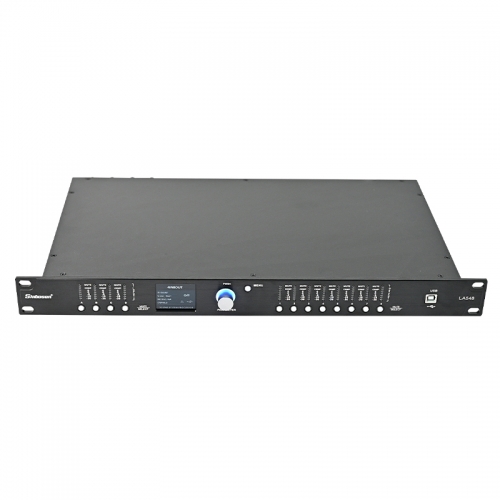


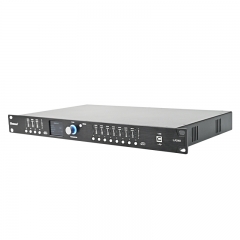


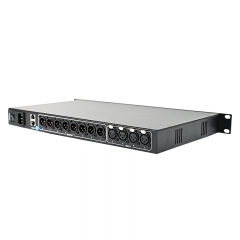


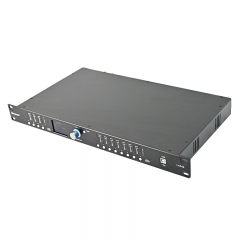


LA548 4x8 AES AutoEQ AutoFIR Speaker Management Processors
Channel : 4 in 8 out
Power Supply Range:85V - 250V 50Hz - 60Hz
Net weight: 3.6 kg
|
Specification
|
Parameters
|
|
System Sampling Rate
|
96kHz
|
|
Frequency Response
|
±0.2dB 10Hz - 25kHz
|
|
THD+N
|
< 0.005% @ 10Hz - 25kHz
|
|
SNR
|
> 118dB at 1% THD+N 10Hz - 25kHz
|
|
Max Input Level
|
+20dBu / 7.775Vrms
|
|
Max Output Level
|
+20dBu / 7.775Vrms
|
|
Gain Range
|
-80dB to +12dB per channel
|
|
Input Impedance
|
> 10kΩ, XLR input
|
|
Output Impedance
|
< 60Ω, XLR output
|
|
Test Signal
|
Independent Sine Wave / White Noise / Pink Noise selectable per channel
|
|
Dynamic EQ
|
Open full-parametric adjustable / 3-band dynamic EQ per channel
|
|
Input EQ
|
7 bands (Direct selection of 5 types: PEQ, High/Low Shelf, All-Pass, Notch)
|
|
Expander
|
Adjustable Threshold, Ratio, Attack Time, and Release Time
|
|
High-Pass Type
|
Linkwitz-Riley / Bessel / Butterworth 6/12/18/24/30/36/42/48 dB/oct
|
|
Low-Pass Type
|
Linkwitz-Riley / Bessel / Butterworth 6/12/18/24/30/36/42/48 dB/oct
|
|
Adjustable Delay
|
1200ms per channel / 0.01ms precision
|
|
Group Delay
|
2.8ms @ 96kHz / 1.2ms @ 192kHz
|
|
Output EQ
|
15 bands (Direct selection of 5 types: PEQ, High/Low Shelf, All-Pass, Notch)
|
|
Input/Output FIR
|
Direct LPF/HPF/BPF setting; coefficients support import/export
|
|
DRC Dynamic Control
|
Limiter (Peak or RMS) + Compressor
|
|
AFC Feedback Suppression
|
6-level control adjustment, independently controllable per channel
|
|
Volume / Mute Control
|
Master volume and mute control directly via front panel knob
|
|
Phase Control
|
0/180° polarity invert per input/output channel
|
|
Connection Control
|
Direct Connection / Router Mode / USB
|
|
Level Meter
|
Dynamic level display on screen
|
|
Power Supply Range
|
85V - 250V 50Hz - 60Hz
|
|
Weight
|
Net weight: 3.6 kg, Gross weight: 5.2 kg
|
|
Dimensions
|
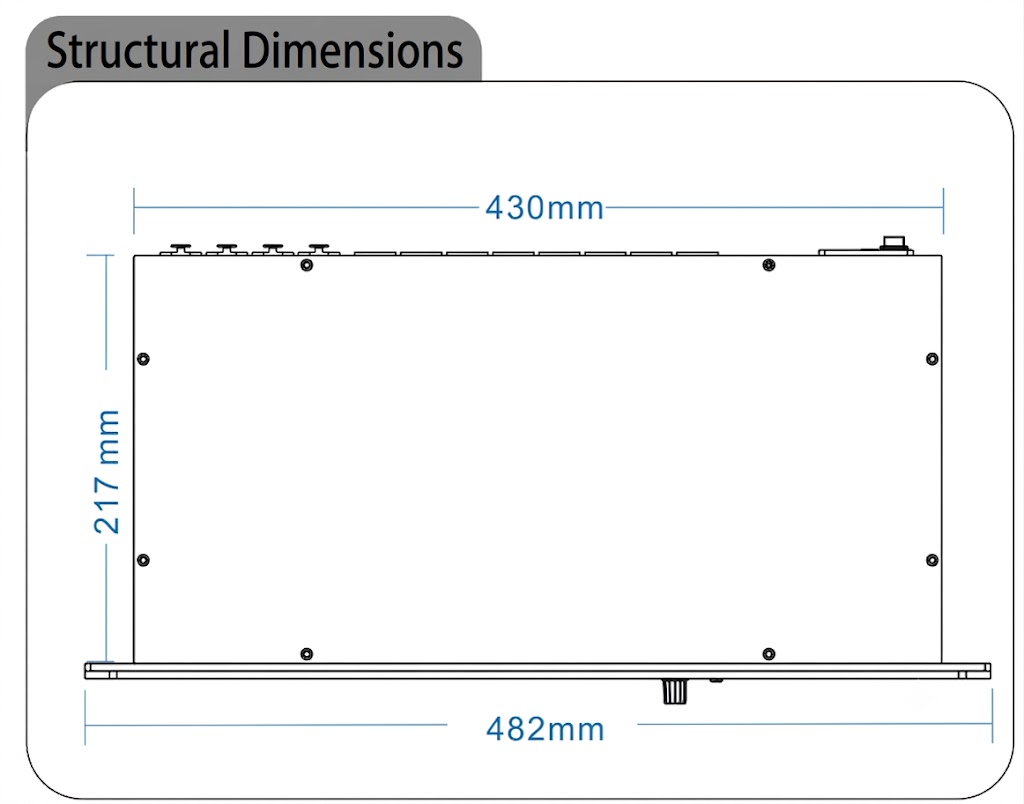
46 x 482 x 250 mm (excluding connectors)
|
|
Differences with the LA448 Processor:
LA548 includes AES, AUTO EQ, and AUTO FIR , but lacks Wi-Fi functionality. |
Features
| The LA548 features built-in routing, gain, and feedback suppression, along with standard audio algorithms such as delay, compression, limiting, mute, EQ, high/low-pass filters, all-pass filters, and phase control. Additionally, it offers the following specialized features, each of which can be enabled or disabled completely independently: |
|
A. 96kHz / 192kHz Sampling Rate Switching: |
Dual-functionality versatility catering to a wider variety of application scenarios. |
| B. Dynamic EQ: | Automatically optimizes sound characteristics independently for high-level and low-level signals. |
| C. FIR Filters (Input/Output Support): | Perfectly corrects phase distortion caused by system parameter adjustments. Supported on both inputs and outputs. |
| D. Filters (Input/Output Support): | Perfectly corrects phase distortion caused by system parameter adjustments. Supported on both inputs and outputs. |
| E. FIR Filters (Input/Output Support): | Perfectly corrects phase distortion caused by system parameter adjustments. Supported on both inputs and outputs. |
| F. REW Software Integration: | Supports one-click import of EQ data from REW (Room EQ Wizard) software. |
| G. AUTO EQ / AUTO FIR: | Features automatic calculation functions to make system tuning and adjustment smarter. |
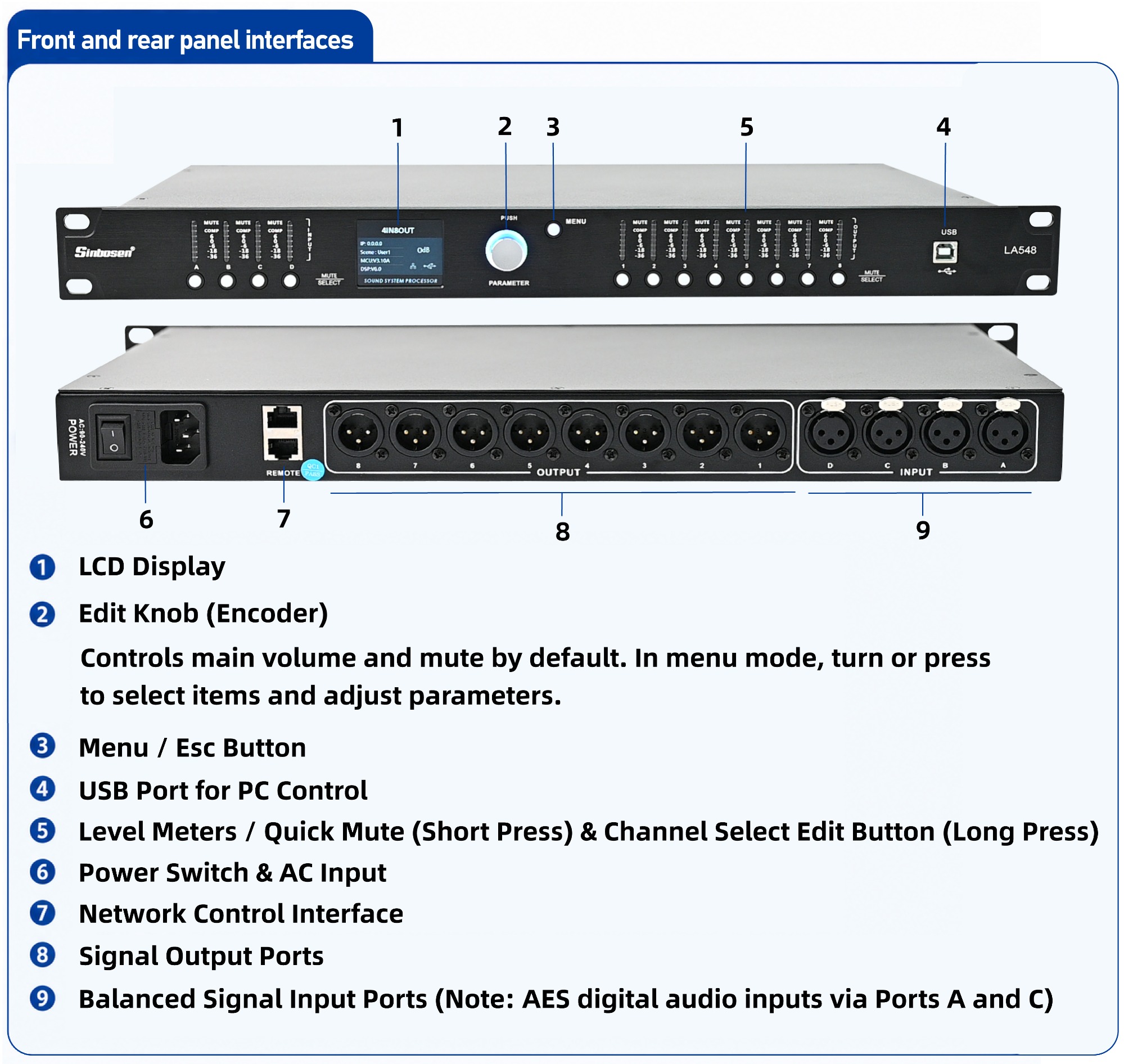
| H. Color LCD Display: | Real-time dynamic level meters with switchable English and Chinese user interface options. |
| I. Feedback Suppression & Global Controls: | Supports 6-level feedback suppression adjustment, one-touch mute, and global master volume control. |
| J. Network & Driver-Free USB Control: | Equipped with network connection capabilities (Router Mode or Direct Connection) and a driver-free USB control interface, allowing full adjustment via PC control software. |
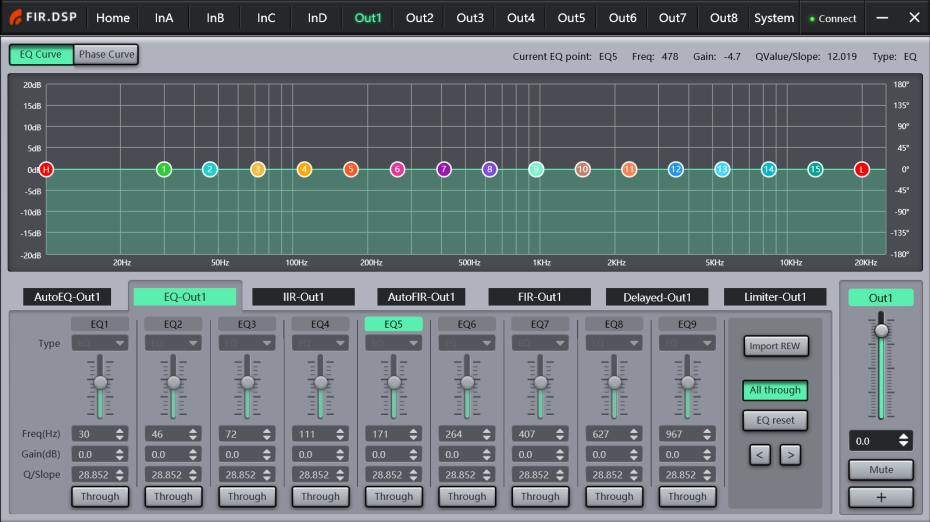
This unit supports the REW filter import function, allowing EQ parameters calibrated in the REW (Room EQ Wizard) software to be imported directly into the device. Users can calibrate common speaker frequency responses in advance, save them, or build their own speaker database, then directly import the data during on-site deployment.
Setup Guide
Under the EQ settings tab of any input or output channel,
click Import REW (Import REW File).
In the pop-up window, locate and select your saved EQ data file (.TXT format).
Opening the file will automatically update the current frequency response curve.
2. FEATURE - AUTO FIR Settings
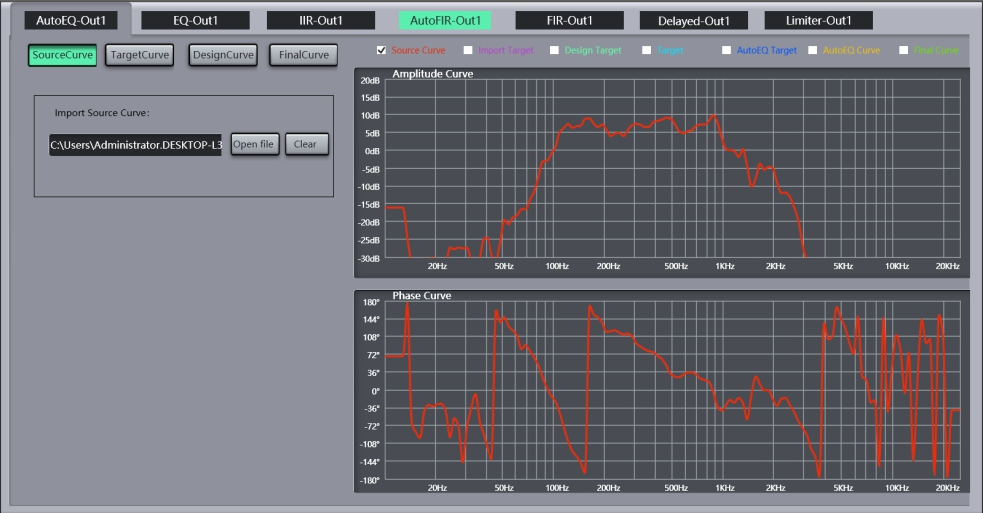
The AUTO FIR function not only corrects the frequency response, but also processes the phase. This unit supports three automatic calculation modes: Minimum Phase, Linear Phase, and Auto Phase.
Setup Guide
Import Measurement Curve: Load the measured response curve.
Set Target Curve: Set or import your desired target curve.
Select Phase Mode: Choose Minimum Phase, Linear Phase, or Auto Phase to automatically calculate the required adjustment parameters.
Apply Results: Apply the automatically calculated results to the device. You will observe that the curves in the FIR interface update simultaneously.
3. FEATURE - AUTO EQ Settings
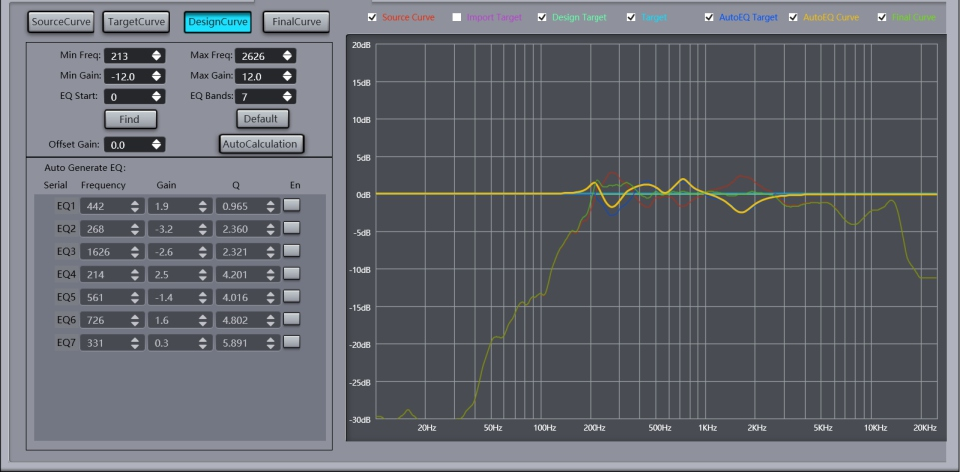
The AUTO EQ function allows you to import measurement data from software such as SMAART or REW, and then automatically calculate and adjust the frequency response to match a target curve. It is time-saving, labor-saving, accurate, and efficient.
Import Measurement Curve: Load the measured curve into the software.
Set Target Curve: Set or import the desired target curve.
Auto-Calculate: Automatically calculate the required EQ parameters.
Apply Results: Apply the automatically calculated EQ parameters to the device. You will see the curve in the EQ interface update simultaneously.